Origin Quick Start (v1.0)
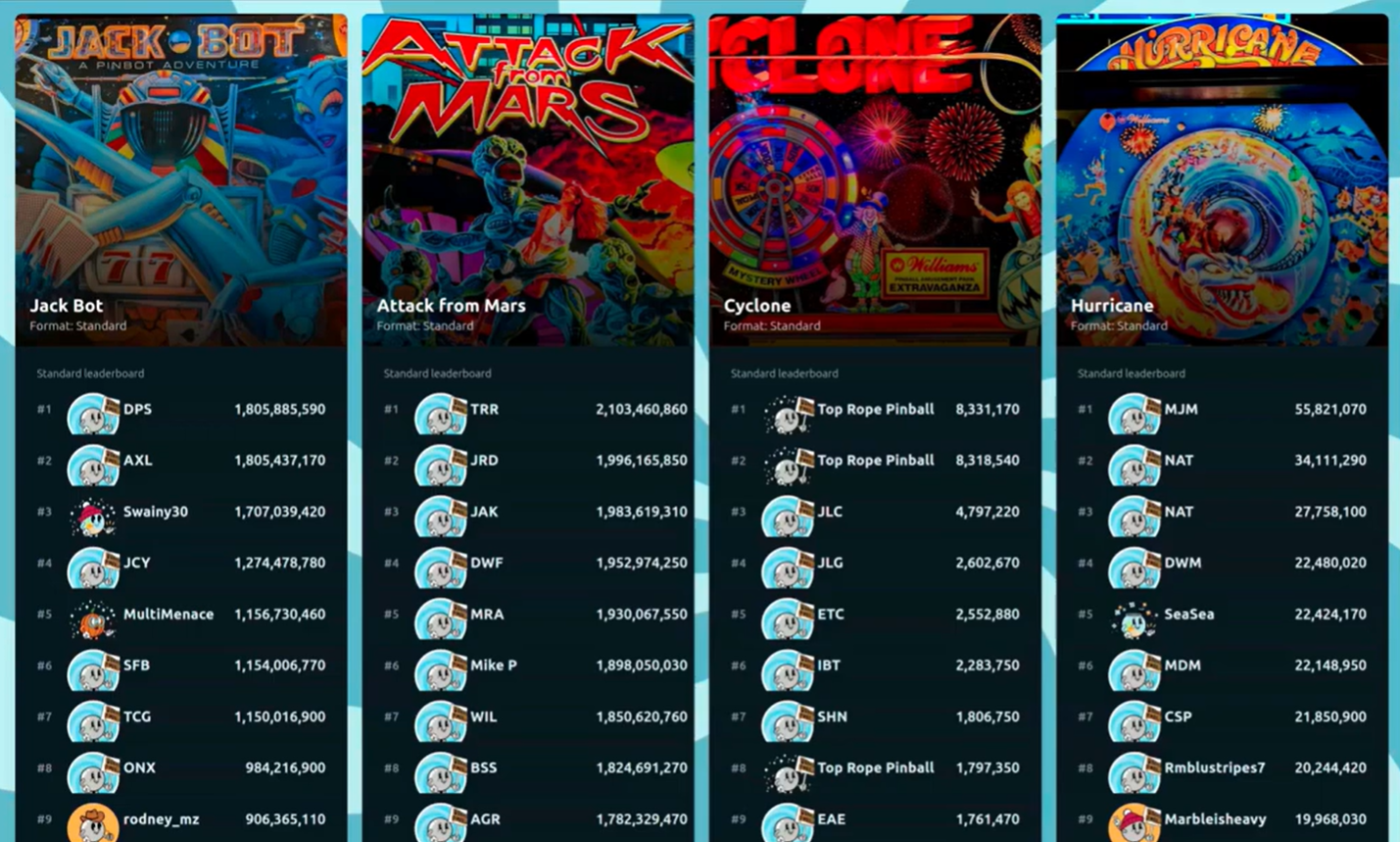
Origin is a small computer that sits on your local network and pulls together high scores and live game action from every Vector-enabled pinball machine you own. Its output looks great on a big-screen TV or any computer monitor. Games without a Vector installed aren't left out — players can snap a picture of their score and submit it. Origin tracks players by name, and players simply scan a QR code to check in and play. It runs tournaments, special events, and competition "modes", and can schedule them to start and run automatically. Origin also helps you manage game issues, with automatic switch failure reporting on many games and player-reported issue logging on every game. And with integrations, Origin can pull in scores from many other modern games.
A full reference manual — configuration, remote access, backups, and day-to-day operation — is coming soon.
A typical Origin display:
What you need
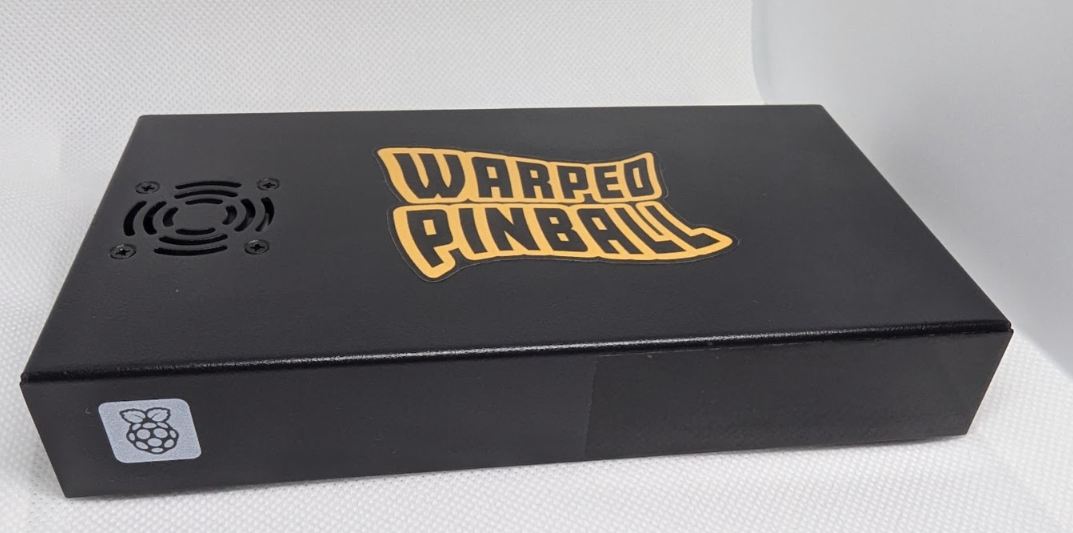
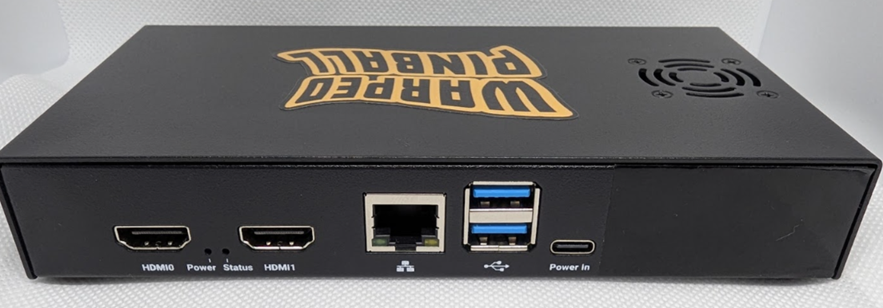
The hardware box supplied by Warped Pinball, its power supply, and an ethernet cable. That's all.
Steps
-
Get your Vector pinball machines ready.
Install the latest software on your Vectors. The minimum required versions are:
System Minimum version System 11 1.10.7 WPC 1.7.15 Data East 1.0.15 Classic Bally/Stern 0.1.1 EM 1.6.5 Also make sure every game has a password set — blank passwords will not work with Origin. The games can all share the same password if you like, but each one needs a password. Put a game into AP mode and connect to it with your phone to set the password.
-
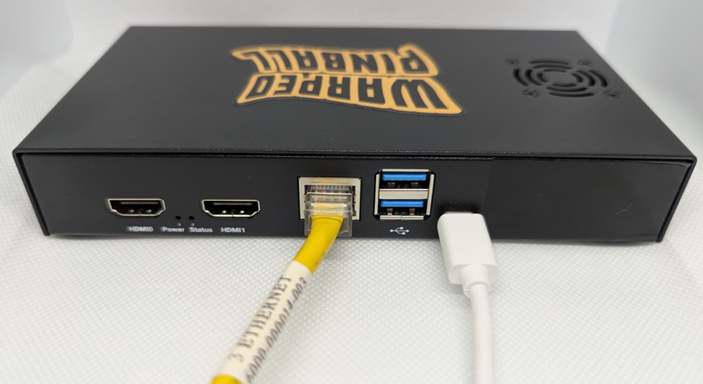
Connect Origin to your network.
Plug the ethernet port on Origin into an open router or switch port on your local network. This should be the same network your games use. The Origin box does not need to be anywhere near the games.
-
Power up.
Use the supplied power supply to power the Origin box. Most USB-C phone chargers do not supply enough power for Origin. Use the one we sent with Origin.
-
Check the label and open the web page.
Look at the label on the back of your unit (a spare is also included in your package). On any computer, go to the web address shown there — for example
Origin3.warpedpinball.com.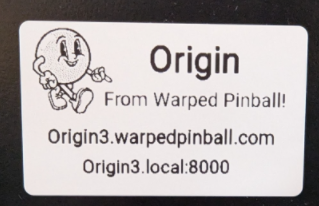
Want a custom web address? Your address doesn't have to stay
Origin3.warpedpinball.com— it can be almost anything, like your name or location (for exampleSmithArcade.warpedpinball.comorDenver.warpedpinball.com). Just let Warped Pinball know what you'd like it changed to.Open this page shortly after powering up and sign in — the first login automatically becomes the Administrator.
-
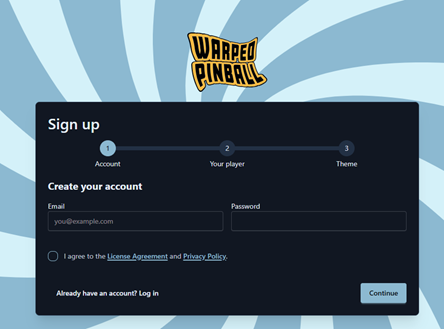
Create your account.
Click Sign up and create the first account. The first account on a fresh instance automatically becomes the admin; everyone who signs up after that is a normal player until an admin promotes them.
-
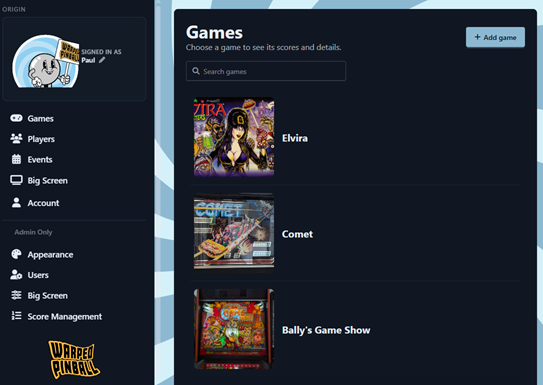
Connect your machines.
Go to Add machine. It helps to have an artwork file ready for each game — snapping a quick picture of each machine works well.
-
Put it on the big screen.
Open Big Screen Setup (
/big-screen/setup) to pick which games show, how many panels appear, and the tournament filters. Then open the big-screen leaderboard in a browser or smart TV.Play a game. Within a few seconds the score should appear live in the web UI and on the big screen, and the finished game lands on the leaderboard.
-
Customize, integrate, and admin — make it your own!
The Admin Only section of the menu is where you tailor Origin to your arcade.
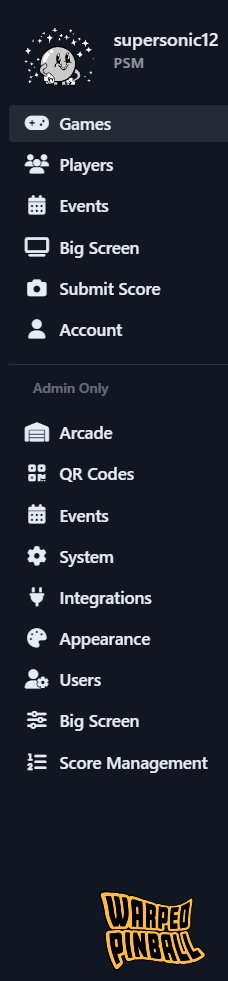
Arcade — check the status of all your games: fault reports, software versions, and more.
QR Codes — list all your QR/NFC tag-enabled games and add more.
Events — see all events in a calendar view and set up new ones.
System — set up email and monitor system performance.
Integrations — add your Insider Connected URL.
Appearance — choose your color scheme.
Users — manage users and how new users get added (open sign-up or by invitation only).
Big Screen — configure how the big screen view works.
Score Management — correct score issues. Someone play with the glass off? Fix it here.
Next steps
For quick access from a computer monitor, use the Origin3.local address
shown on your label. Many smart TVs do not accept the .local address and need a
full IP instead, such as 192.168.1.123.
Frequently asked questions
Is this just a Raspberry Pi?
Yes. Origin runs on Raspberry Pi hardware, and we chose it deliberately. The Raspberry Pi has a long, stable production lifecycle, so the same hardware stays available and supportable for years. It also has the platform tooling we rely on to monitor and update Origin remotely, which lets us keep your box healthy and current with as little effort from you as possible.
Does this all depend on a server somewhere?
No. The connection to warpedpinball.com happens over the internet, but all of
your data is processed and stored locally in the Origin box. The local address
(Origin3.local) works on your network even when the internet is down.
Terms of use and consent to remote monitoring
To give you the best experience, Warped Pinball securely monitors and updates your Origin box over the internet. This lets us deliver software updates and new features, apply security patches, check that the box is healthy, and help with support without asking you to run commands yourself.
By connecting Origin to your network and powering it on, you authorize Warped Pinball to perform this remote monitoring and maintenance for as long as the box is in service. These connections are encrypted and are used only to operate, maintain, and support Origin. Warped Pinball does not access other devices on your network, and access to your box is limited to Warped Pinball personnel for the purposes described above.
If you prefer not to allow remote monitoring and updates, contact Warped Pinball support before deploying Origin so we can discuss your options. Disabling this access may limit our ability to support the product and deliver updates.